Eliminar cuenta
Si deseas eliminar tu cuenta de Circles, sigue estos pasos:
1
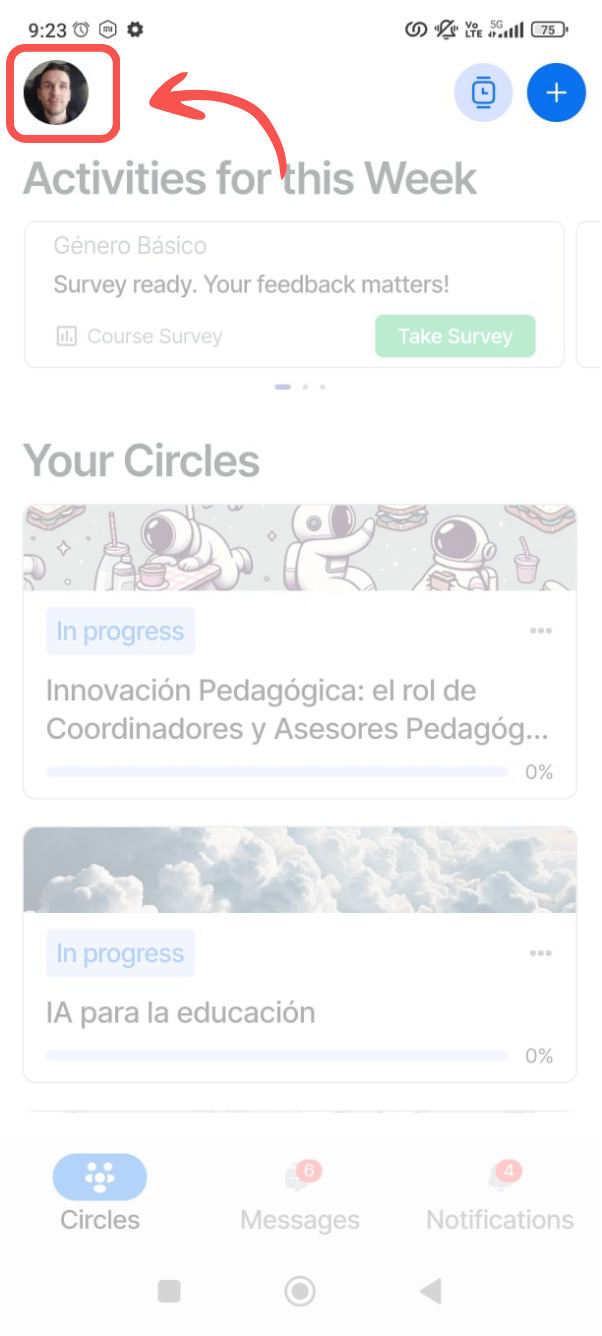
Accede a tu perfil
Toca tu foto de perfil en la esquina superior izquierda de la pantalla principal.
2
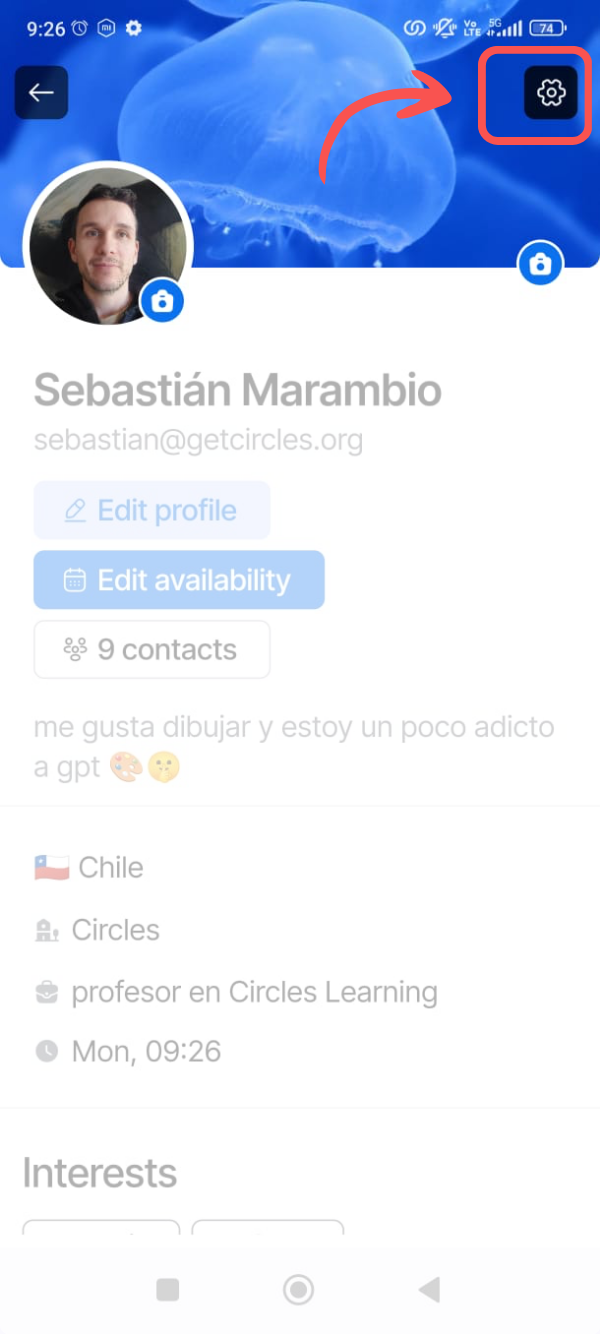
Abre configuración
Toca el ícono de configuración (⚙️) en la esquina superior derecha.
3
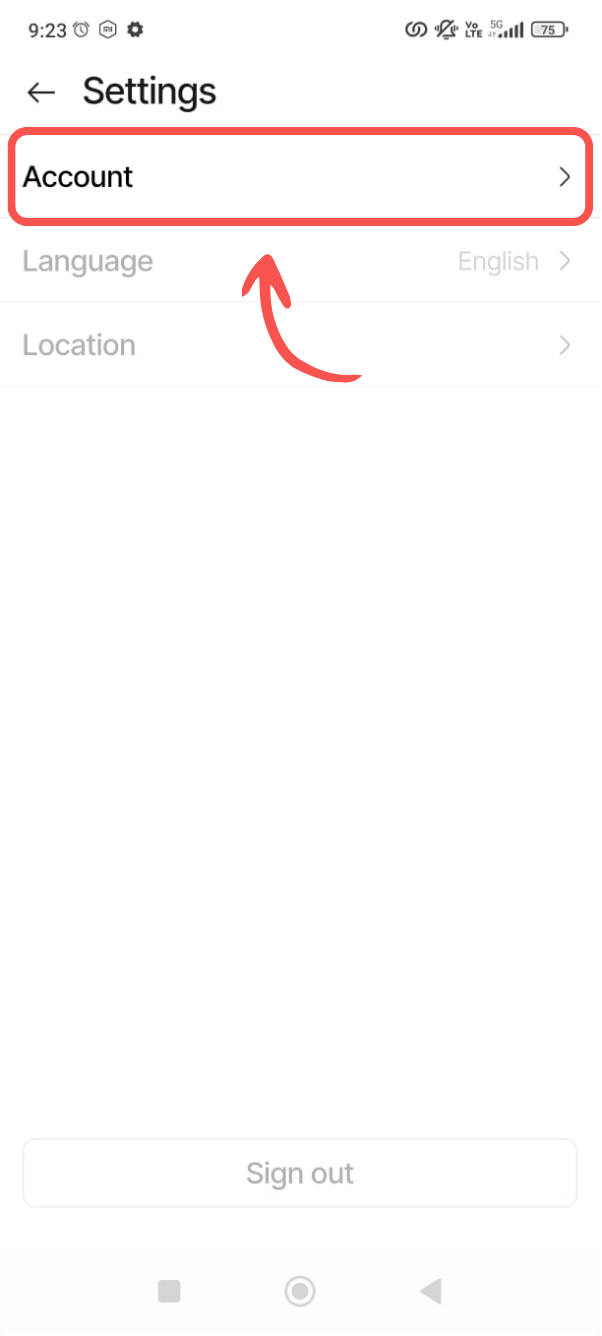
Selecciona Cuenta
En el menú de configuración, toca la opción "Cuenta".
4
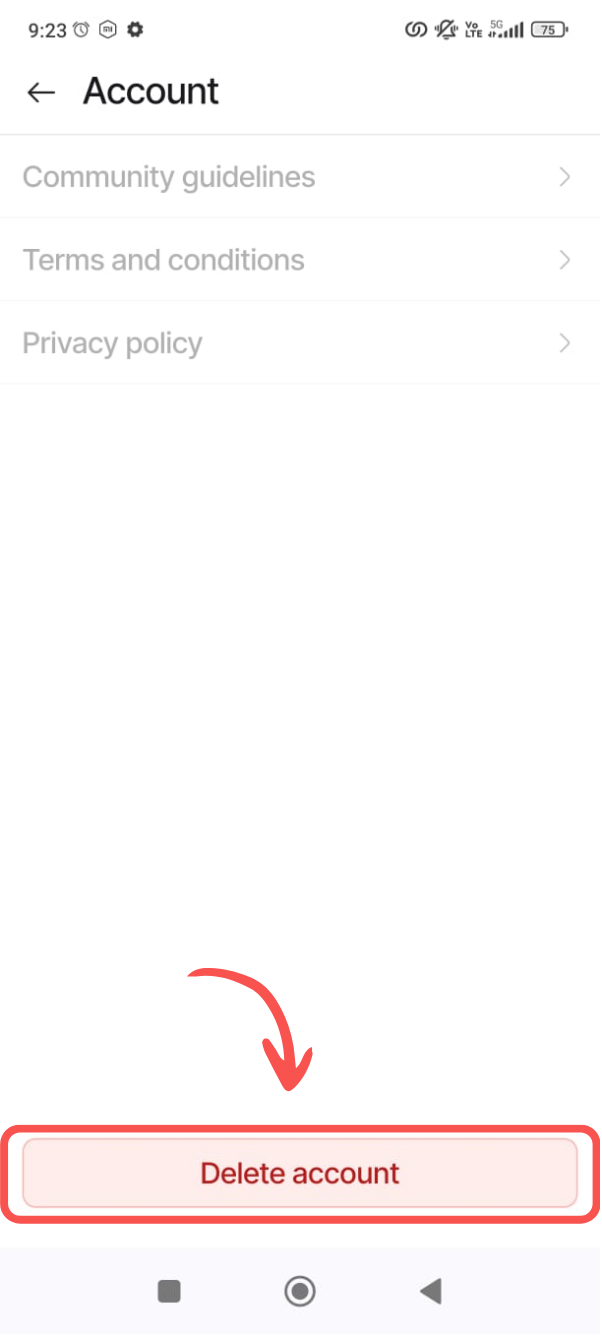
Eliminar cuenta
Desplázate hasta el final y toca "Eliminar cuenta". Esta acción es permanente y no se puede deshacer.
⚠️ Notas importantes antes de proceder:
- • Esta acción no se puede deshacer
- • Todos tus datos y progreso serán eliminados permanentemente
- • Asegúrate de guardar cualquier información importante antes de confirmar